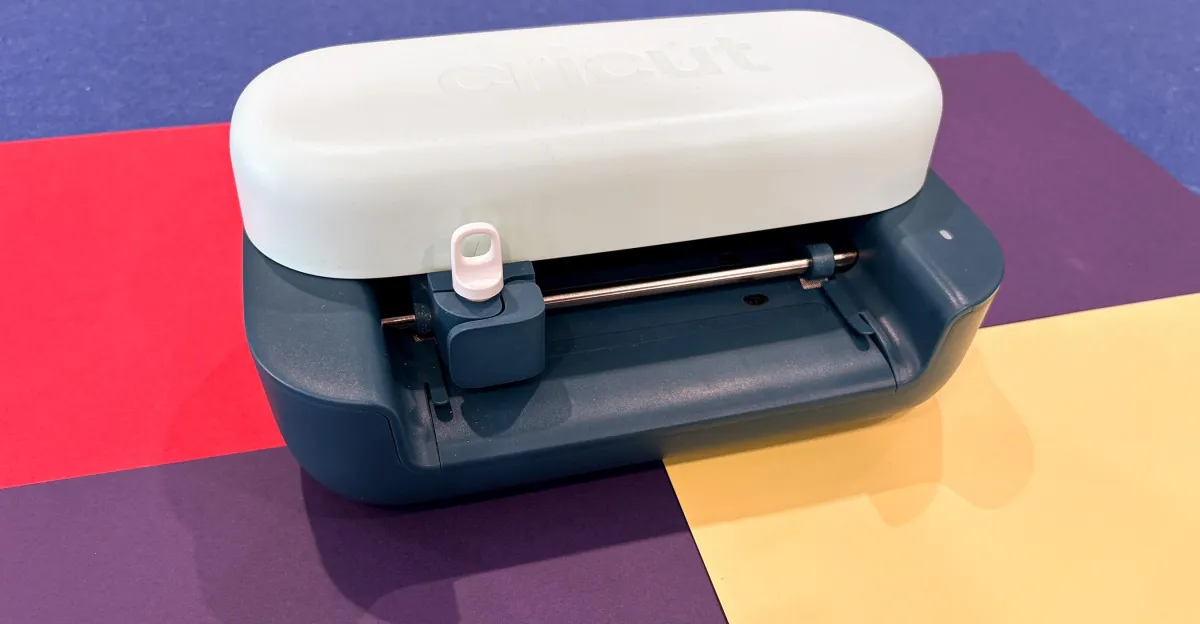
Cricut has announced the launch of its new device, the Joy 2, a smart cutting machine designed to help users regain their creativity through innovative designs. Priced at $99, the device features the ability to easily create stickers, cards, and tags, making it an ideal choice for beginners and those looking for new ways to express their creativity.
During my three-week experience with the device, I found that the Joy 2 helped me return to my old hobbies, such as making stickers and cards. Although the device is not perfect, its capabilities and the templates available through the app were enough to spark my interest. Daily life pressures, such as caring for others and mental stress, had affected my ability to be creative, but the Joy 2 brought back that joy.
Device Details and Features
The Cricut Joy 2 comes with a range of features that make it user-friendly. The compact size of the device makes it suitable for home offices, and it is available in several attractive colors. When I started using it, I connected the device and installed the Cricut Design Space software on my laptop, allowing me to complete my first cut in less than 30 minutes. Watching the device cut the first design was an exhilarating moment.
However, I faced some challenges initially, as it was difficult to fully understand how to use the app. Although it is designed to be user-friendly, some instructions were unclear, which left me feeling frustrated at times. But once I began exploring the available templates and projects, things started to become clearer.
Background & Context
Smart cutting machines like the Cricut Joy 2 are part of a growing trend towards using technology in arts and crafts. With increasing interest in creative hobbies, these devices provide users with innovative tools that help them express themselves. The availability of educational apps and online communities enhances the user experience, making it more accessible and enjoyable.
Historically, arts and crafts relied heavily on manual skills, but with technological advancements, individuals can now use sophisticated machines to facilitate this process. This trend reflects people's desire to return to traditional arts while benefiting from modern technology.
Impact & Consequences
The experience of using the Cricut Joy 2 demonstrates how technology can reignite individuals' passion for creativity. The device offers a quick and easy way to create artistic projects, enhancing mental health and alleviating daily stress. The ability to see ideas come to life in just a few minutes boosts feelings of accomplishment and satisfaction.
Moreover, using these machines can encourage more people to engage in creative activities, potentially leading to an increase in demand for art supplies and tools, thus supporting the local economy in this sector.
Regional Significance
In the Arab region, where the importance of arts and crafts is growing, the Cricut Joy 2 can have a positive impact on communities. With the rising interest in traditional arts, this technology can help foster creativity among youth, contributing to the development of new skills and opening new horizons in the business world.
In conclusion, the Cricut Joy 2 represents a new step towards integrating technology with the arts, allowing individuals to express themselves in innovative and easy ways. As interest in creative hobbies continues to grow, the future seems to hold more opportunities for creators around the world.