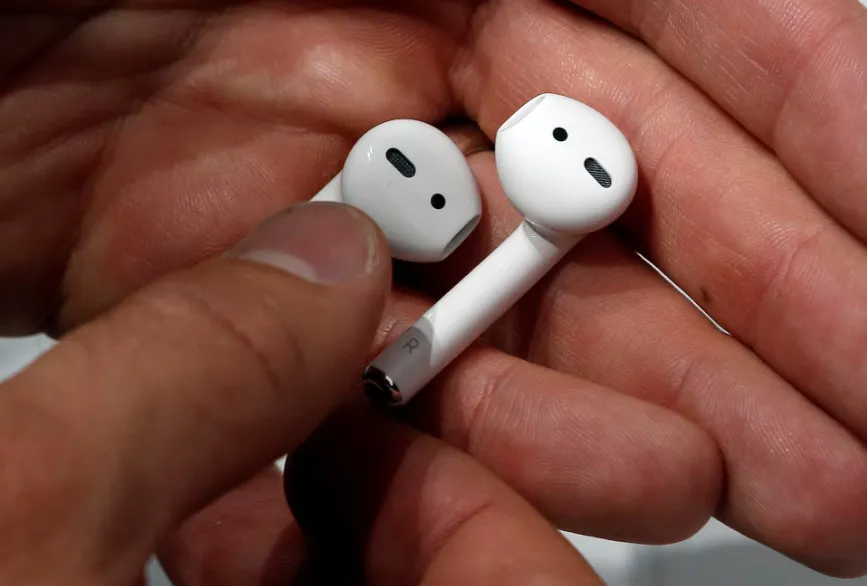
Earphones, especially AirPods, are devices used by many daily, but over time, users may notice a yellow or brown layer on the silicone tips or metal grilles. While this may seem bothersome, it is quite common and natural.
Gordon Harrison, an audiologist, explains that this discoloration is often due to the buildup of earwax, which is a normal occurrence that does not cause harm by itself. However, neglecting to clean the earphones can turn them into a suitable environment for bacterial growth, especially with heat and moisture trapped inside the ear canal, which can increase the risk of ear infections, particularly during cold and flu seasons, according to The Independent.
Importance of Cleaning AirPods
Therefore, cleaning AirPods, manufactured by Apple, is not just about aesthetics; it is also an important step for maintaining health. The good news is that cleaning AirPods does not require complicated or expensive tools, but can easily be done with simple items available at home.
If you are using AirPods Pro, start by gently removing the silicone tips. Apple recommends rinsing these tips with water only, then drying them with a soft, lint-free cloth (preferably microfiber). It is crucial to ensure they are completely dry before reattaching them, as any remaining moisture could cause irritation inside the ear, especially during prolonged use.
Cleaning Procedure
After removing the tips, clean the outer part of the earphones. It is advisable to wipe them gently with a slightly damp cloth, taking care not to let water seep into the openings or grilles. You can also use antibacterial wipes containing alcohol, or a cloth dampened with isopropyl alcohol, to remove dirt, sweat, and accumulated wax.
The grille (sound openings) is the most sensitive part, so it should be handled with care. Apple recommends using a soft-bristled brush, such as a clean toothbrush. You can dampen the brush with a small amount of micellar water (which contains PEG-6), then clean the grille with gentle circular motions for about 15 seconds. After that, turn the earphone over and gently wipe it with a paper towel, avoiding pressure or sharp tools, and ensure that no liquids enter the inside of the earphone.
Post-Cleaning Care
If there is dirt or wax stuck in the edges, you can use cotton swabs, but very gently, to avoid pushing the dirt further into the openings. After finishing the cleaning, make sure that all parts are completely dry, whether the silicone tips or the body of the earphone, before reattaching them or placing them in the charging case. Apple advises leaving the earphones to air dry for at least two hours.
This depends on how you use them. If you use the earphones daily for calls or music, cleaning them once a week is sufficient to keep them clean. However, if you use them while exercising or in hot conditions, it is better to clean them before or after each use, as sweat and moisture can accumulate quickly. It is also advisable to increase the cleaning frequency during the summer or when traveling to hot areas, where the likelihood of moisture and bacteria buildup increases.
Significance for the Arab Region
These tips are beneficial for users in the Arab world, where the popularity of AirPods is rising. Maintaining the cleanliness of earphones is not only to enhance performance but also to protect overall health. With the increasing use of technology, it becomes essential to educate users about the importance of caring for their devices.
In conclusion, caring for AirPods is not merely a cosmetic issue; it is a necessary step for maintaining health and preventing potential health problems. By following simple steps, users can enjoy a clean and safe audio experience.